Your account and plan
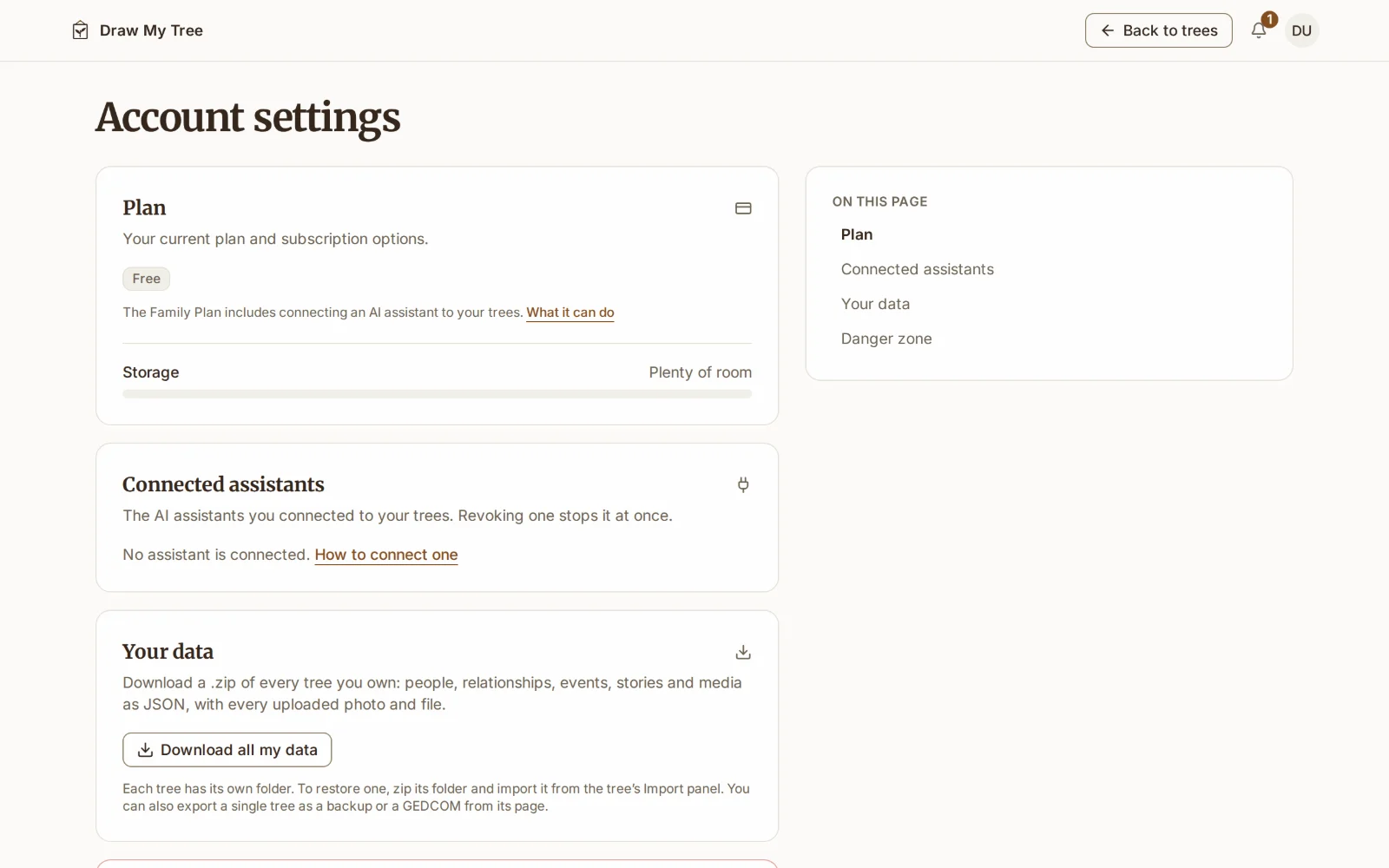
Everything about your account lives on one page: Account settings, in the account menu at the top right of Your trees and of every tree (on a phone, under ⋯). Prices are on the pricing page.
What each step includes
Draw My Tree is a ladder: guest, free account, Keepsake, Family Plan. Each step includes everything in the one before it.
- Guest, with no account: build a tree of up to 50 people, saved in that browser, with every look and layout, one portrait per person, and a watermarked, screen-sized PNG export. Sign up from the tree and it moves to your account (Getting started explains how).
- Free account: build and keep one tree, with a portrait for everyone, and print a page of it. It is backed up and on every device, holds up to 2,000 people in the tree, invites 3 people to view it, prints charts and reports up to 5 generations on letter or A4 with a small credit, and gives you a full JSON copy whenever you want one.
- Keepsake: one tree, print-ready and watermark-free, forever. Paid once, $24.99 for each tree. It unlocks PDF, SVG, PNG and JPEG at full resolution, GEDCOM and CSV for that tree without a watermark, for as long as that tree exists. Its tree holds up to 2,000 people. It adds a read-only public link and invites for 10 people to view the tree. A tree with a Keepsake doesn't count toward your one free tree, so you can start another beside it.
- Family Plan: every tree, the family's photos and documents, family who edit, a dated edition every year. Each tree holds up to 5,000 people. It covers every tree you own: as many trees as you like, photo albums, documents and records, inviting up to 250 family to view and edit, public links, versions of a tree each with its own link, every export format on every tree, and connecting an AI assistant. The Family Plan renews once a year at $99, or monthly at $12, until you cancel.
Upgrade
- The Family Plan: choose it on the pricing page, or from any prompt in the app that offers it. Secure checkout by Polar, our payment partner. We never see your card. The plan applies as soon as the payment goes through.
- A Keepsake: open the tree you want to keep, choose Export on the rail, and buy it there. It belongs to that tree, so buy it from the tree you mean.
- Already have a Keepsake? Subscribe to the annual Family Plan within 30 days of buying it and its price comes off your first year, so it costs $74.01. Checkout shows the credit.
Change, cancel or restart the Family Plan
The Plan section of Account settings shows your plan, and once you cancel, the date it ends.
- Change billing opens our secure billing portal, where you can switch between monthly and annual, update your payment method and download receipts.
- Cancel subscription stops the next renewal. The Family Plan keeps working until the end of the period you've paid for, and the page shows the date it ends. Changed your mind before then? Keep my plan opens the billing portal, where you can undo the cancellation; Receipts and billing takes the place of Change billing until then.
- If a renewal payment fails, the Family Plan keeps working while the charge is retried, and your trees page says so until a payment goes through. Update card there opens the billing portal, where you can change your payment method.
- When the plan ends, Everything stays and stays yours to download. Adding more photos, editors and trees pauses until you return; people you’ve invited can still look. The Refund & Billing Policy has the full list of what pauses.
- Restart the Family Plan from the same section whenever you like; everything that paused comes back.
Gifts
You can give a Keepsake or a year of the Family Plan. Buy one on the gift page and you get a link to send however you like: a card, a message, an email. The link works once and doesn't expire.
- Receiving one: open the link, sign in or create a free account, and choose Accept gift. A Keepsake gift asks which of your trees it is for. A year of the Family Plan runs for 365 days from the day you accept it, with nothing to renew.
- Gifts you bought on your account page lists each gift with its link while it hasn't been accepted, so you can copy it again. If it is never opened, you can use it yourself: the link asks you to confirm first.
Storage
Account settings shows how much room is left, with the figures once you're past 80%, and the account menu shows a meter from then on. A free account has 250 MB, and so does a tree with a Keepsake; the Family Plan has 10 GB. The bell lets you know as you get close to the limit. If a plan ends while you're over the free amount, nothing is deleted, but new uploads wait until you're under it.
Trash
A tree or a person you delete goes to Trash, in the account menu, for 30 days. Restore it from there before then and it comes back as it was. On a free account a tree can come back only while you have no other tree without a Keepsake, since a free account keeps one; Trash marks such a tree Family Plan and says so before you choose Restore. A tree with a Keepsake keeps its unlock while it is in Trash, and the bell reminds you before it is gone for good.
Notifications
The bell beside your account menu collects what happened while you were away and what is coming: a tree someone shared with you, storage getting full, access that is about to end, a privacy request from someone in one of your public trees, and a deleted Keepsake tree about to leave Trash. Each one opens where you can act on it.
Connected assistants
Connected assistants, in Account settings, lists each AI assistant you connected to your trees, with when it connected and when it was last used. Connecting one comes with the Family Plan; without it the section says so, and an assistant you already connected is paused until the plan is back. The first time an assistant connects, a notice in the bell says so; if you didn't connect it, revoke it here. Revoke cuts one off from its next request, even if it signs in again; Allow again gives it back. Remove the connector in the assistant's own settings too.
Your data
Download all my data, under Your data in Account settings, saves every tree you own in one .zip: a folder per tree, each holding tree.json (people, relationships, events, stories, and media captions and sources) and a media folder with the tree's uploaded photos, videos and documents. To restore a tree, zip its folder and import it from the tree's Import panel (Importing the Draw My Tree JSON format). To move one tree to another genealogy app, export it as GEDCOM from the tree instead (Exporting your data).
Delete your account
Delete account, under Danger zone, permanently deletes your account, every tree you own, and all their photos and documents, and cancels any subscription. It can't be undone, so it asks you to type your email address to confirm, and offers to export your data first. Trees other people shared with you aren't affected; they stay with their owners.
What to read next
- Sharing a tree: invite family, and what each plan lets you share.
- Refund & Billing Policy: renewals, refunds and the full detail of what pauses.
- Pricing: what each option costs.
Last updated October 11, 2026 by Prescott Bros LLC, the makers of Draw My Tree.