Make a printable descendant chart
A descendant chart starts with one ancestor, or one couple, and shows everyone who came after them: their children, grandchildren and great-grandchildren, each with the person they married. At a family reunion, everyone can find their own branch on it. A pedigree chart goes the other way, starting with one person and going back.
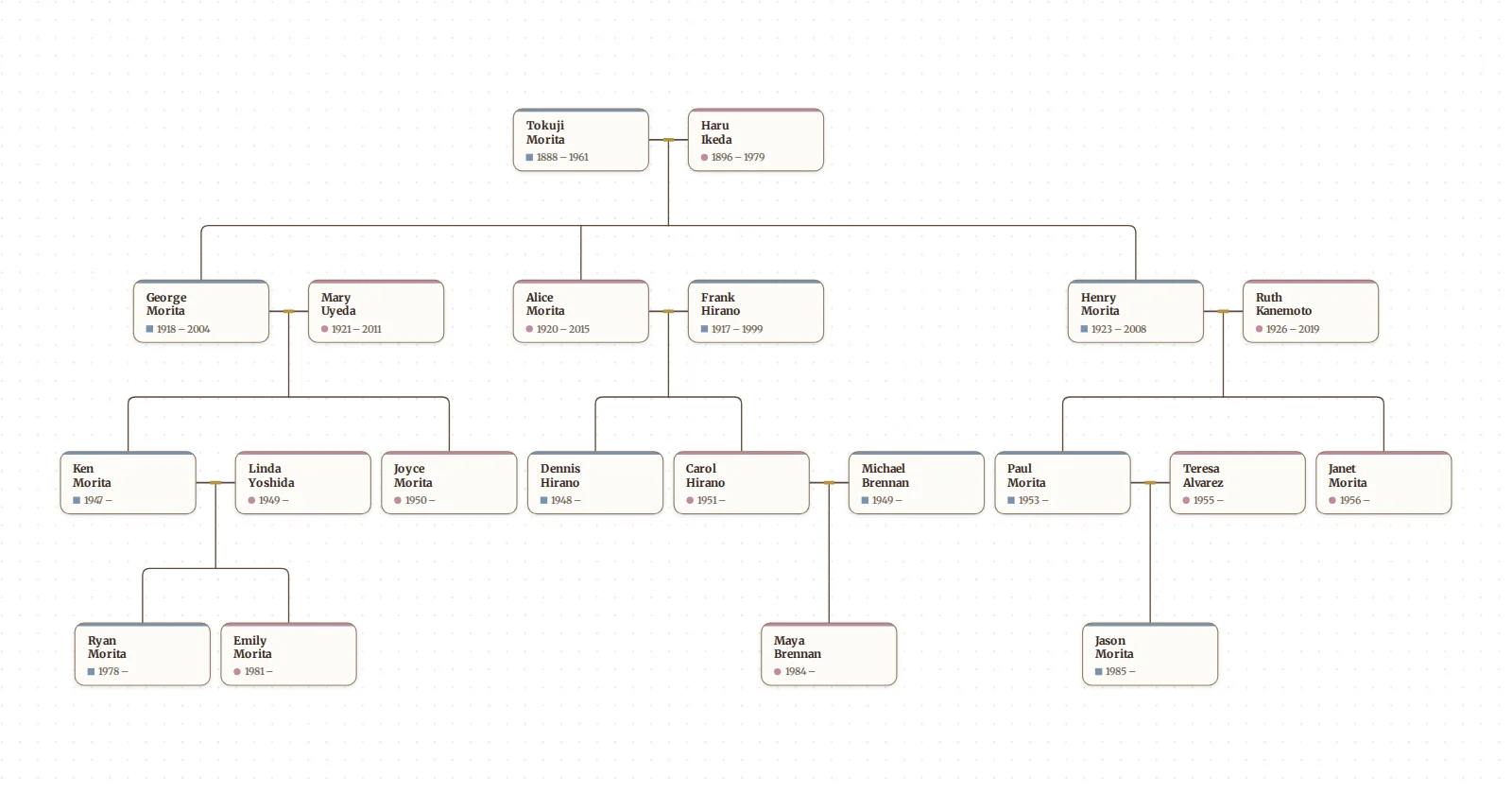
Draw My Tree draws a descendant chart from the tree you already have, or from a GEDCOM file exported from another app, and prints it as a PDF at any size, from a letter sheet to a banner for the reunion hall.
Try it as a guest: type a few names, or import a GEDCOM. No account is needed for up to 50 people.
Three ways to show descendants
- A descendant tree. The ancestor at the top and each generation below, couples side by side and children in birth order under their parents. The married-in partners are drawn too, so every family is complete. It is the most common descendant chart, and the easiest to read on a wall.
- A descendant fan. The ancestor at the centre and the descendants in rings around them, eldest on the left. Compact, and good for a framed print of a large family.
- A descendant register. The same family as numbered text, a family to an entry, for a binder or a family history book. It is printed from the reports.
Make the descendant tree
- Get the family in: type them in (Building your tree), or import a GEDCOM from Ancestry, MyHeritage, Family Tree Maker, RootsMagic or another program (Import a GEDCOM).
- Open Filter on the rail. Under Focus on a person, choose the ancestor.
- Choose Descendants. The tree redraws with the ancestor at the top and only their descendants and the people they married below.
- To keep it to a page, pick a generation limit: 2 generations is the children and grandchildren, up to 6 generations, or All generations.
- Open Export on the rail and choose A print. At the first question keep the current focus, then pick a page size and download the PDF. All export options has the other formats and Orientation. Print your family tree has the sizes and print-shop advice.
The export prints the chart as the focus draws it. Choose Both instead of Descendants to add the ancestor's own parents and grandparents above them.
Make the descendant fan
- Open Look on the rail, and under Layout choose Fan chart.
- Open Layout options, and under Show choose Descendants. Both draws an hourglass: the ancestors over the top and the descendants underneath.
- Select the ancestor who should sit in the centre: click them on the fan, or find them with search.
- Export it as above. Make a printable family fan chart covers the depth, sweep and colour settings.
Print the descendant register
Select the ancestor, open Export, choose A report about and their name, then Descendants and Print the report. Each person with children gets a number; their children follow in birth order, and a + marks a child whose own family comes later in the register. It goes six generations deep.
Frequently asked questions
Is it free? Drawing the chart is free, as a guest or with a free account, and so is a watermarked, screen-sized PNG of it. A free account can also print a descendant tree or fan of up to 5 generations down from one person on Letter or A4, as a PDF or PNG, with a small "Made with Draw My Tree" credit line instead of the watermark. A descendant register past 5 generations, more generations, the PDF at any size, SVG and full-resolution images come with a one-time Keepsake for that tree, or with the Family Plan for every tree. Prices are on the pricing page.
Are living people on it? Yes, as the tree has them. For a chart you will post publicly, the reports can leave out living people, and a public share link hides people who appear to be living.
What about a child's other parent? The married-in partners are drawn beside each descendant, so a child always sits under both parents. A person with two marriages shows both, each with their own children.
Can I start from a couple rather than one person? Focus on either partner: their spouse is drawn beside them, and their shared children follow.
What to read next
- Make a printable pedigree chart: the other direction, one person's ancestors.
- Make a printable family fan chart: the descendant fan and the hourglass in detail.
- Free blank charts: blank pedigree charts, a fan chart and a family group sheet to fill in by hand.
Last updated October 11, 2026 by Prescott Bros LLC, the makers of Draw My Tree.