Print a Family Tree Maker or RootsMagic tree
Family Tree Maker and RootsMagic are desktop programs, and both can print charts and reports themselves. If one of their charts already looks the way you want, print it from there. To get a different look, a poster from a print shop, a fan or a timeline drawn from the same data, or a link the family can open on a phone, export a GEDCOM file, draw it in Draw My Tree, and print a vector PDF at any size.
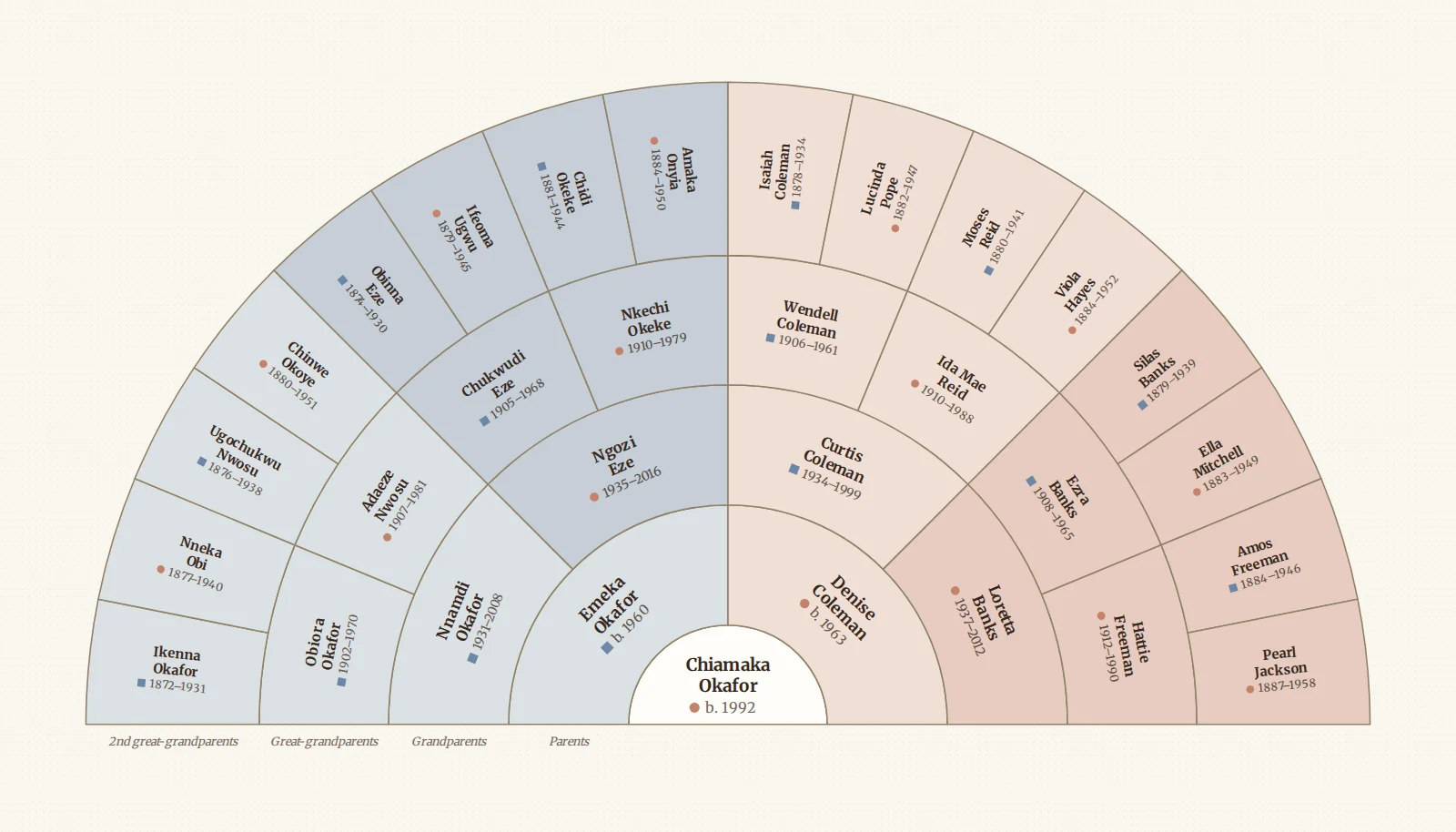
Only the export step differs between the two programs; everything after the .ged file is the same.
Step 1: export a GEDCOM
From Family Tree Maker
- Open your tree and choose File → Export.
- Choose to export the entire file, or selected people if you only want one branch.
- Set Output format to GEDCOM.
- Decide on Privatize living people. Leave it off to keep living relatives' details in the file, or turn it on if the file is going to someone else.
- Click OK, keep the default character set, and save the
.gedfile.
From RootsMagic
- Open your file and choose Export from the File page (the File menu in older versions).
- Choose GEDCOM as the format, and everyone or a selected group of people.
- Leave the default options unless you have a reason to change them, then save the
.gedfile.
A GEDCOM carries names, dates, places, relationships, events and notes. It does not carry the photos themselves; those stay on your computer. Exporting is a copy, and your Family Tree Maker or RootsMagic file is not changed. What comes through, character sets for older files included, is in Import a GEDCOM.
Step 2: import it into Draw My Tree
- Create a free account and create a tree, or start as a guest to try it with up to 50 people (a larger file needs a free account).
- Click Import on the rail, choose Replace entire tree if the tree is empty, and drop the
.gedfile in. - Click Preview to see how many people, relationships and events were found, plus any warnings for tags the program wrote that have no home here, then Apply import.
Family Tree Maker's own way of recording adoptive and step parents comes through, so an adopted child is drawn with an adoptive line.
Step 3: choose a chart and a look
The tree is drawn with generations lined up and couples side by side. From the same data you can also draw:
- A numbered pedigree chart of one person's direct ancestors: turn on Pedigree in Look.
- A fan chart of ancestors or descendants, or both as an hourglass.
- A timeline of everyone's lifespans.
- Family group sheets and an Ahnentafel report, printed through the browser.
Then pick a look: a built-in preset, or your own card shape, typeface, colours, and whether photos and dates show.
Step 4: export and print
Open Export on the rail and choose A print, then pick Letter, A4, Legal, Tabloid, A3, A2 or a poster size and download the PDF. It is vector, so the same file prints sharp on a letter sheet or a 48-inch poster. Split a poster across Letter or A4 sheets to print at home, or add bleed and crop marks under Print shop extras. Photo-book pages and custom sizes are under All export options. Under the preview the panel tells you what size the names will print at, and warns you before they get too small to read. Print your family tree has every option.
When the research changes
Keep researching in Family Tree Maker or RootsMagic. When you want a new print, export a fresh GEDCOM and import it with Fill in missing information to keep what you have saved here, or Use information from file to take the file's values. Check the preview first; how records match explains how people are matched, and why a file with different record IDs can add a second copy of someone.
Frequently asked questions
Is it free? Importing and drawing the tree is free, and a guest can download a watermarked PNG at screen size. A free account can also print a chart of up to 5 generations from one person on Letter or A4, as a PDF or PNG, with a small "Made with Draw My Tree" credit line instead of the watermark. Larger charts, a print-ready SVG, poster sizes, full-resolution images without the watermark, the whole tree and the printed reports come with a one-time Keepsake for that tree, or with the Family Plan for every tree. Prices are on the pricing page.
Does it replace Family Tree Maker or RootsMagic? No. Those programs are research tools with sources, citations and record hints. Draw My Tree draws, prints and shares the result, so you keep researching there.
Does it work on a Mac or a phone? Yes. It runs in the browser, so the tree you imported on one computer opens on any other device once it is saved to an account.
What to read next
- Convert a GEDCOM file to a printable PDF
- How to print your FamilySearch family tree
- How to print your Ancestry family tree
Last updated October 11, 2026 by Prescott Bros LLC, the makers of Draw My Tree.