Print a family group sheet from your tree
A family group sheet is one page about one family: a couple, and their children. For each parent it gives birth, baptism, death and burial, with dates and places, and their own parents' names; then the marriage; then the children in birth order, each with their dates and who they married. Genealogists have traded them for a century because a single family on a single page is easy to check, file, and hand to a cousin who is researching the same people.
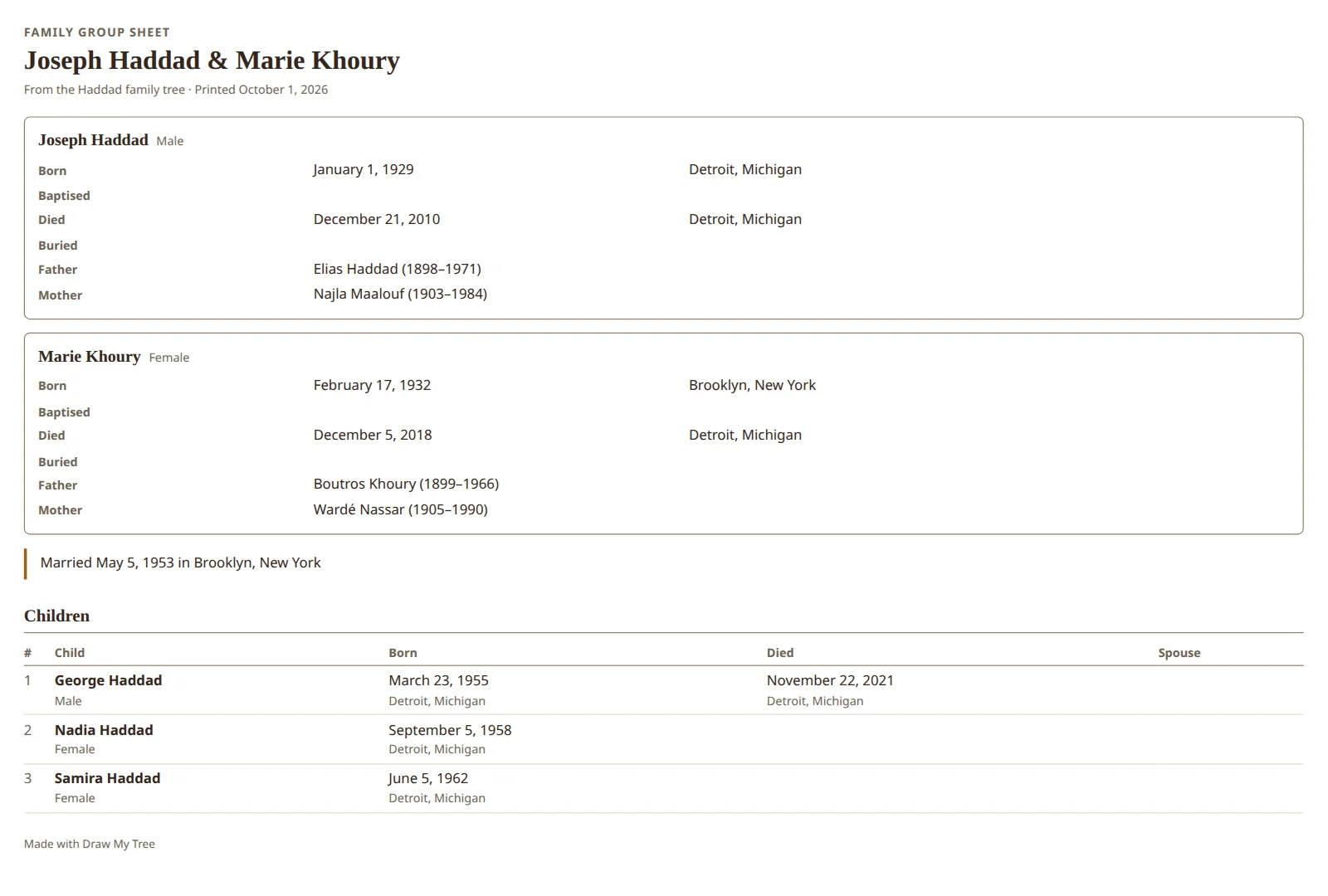
Draw My Tree writes family group sheets from the tree you already have, ready for your browser's print dialog or to save as a PDF.
Filled in, not blank
Type the family into Draw My Tree once (or import it from another app as a GEDCOM file), and you can print a filled-in sheet for any couple in the tree, with the latest corrections in. For a blank form to fill in by hand, download our free blank family group sheet in Letter or A4.
What goes on the sheet
- Each partner: name, birth, baptism, death and burial, each with its date and place when recorded, and the names of their father and mother.
- The marriage: its date and place, and a divorce if one is recorded. A couple who were partnered or engaged rather than married say so.
- The children: in birth order, with their dates and the people they married.
A person with more than one partner gets a page per family, each with the children they share. Children whose other parent is not recorded get a page of their own, so nobody is attached to the wrong family. Each partner gets the same rows (born, baptised, died, buried, father, mother), left blank where nothing is recorded, so a gap is easy to spot; the children are listed only as recorded.
How to print one
- Get the family into a tree: type them in (Building your tree), or import a GEDCOM from Ancestry, MyHeritage, Family Tree Maker, RootsMagic or another program (Import a GEDCOM).
- Select the person the sheet is about, by clicking their card or finding them with search.
- Open Export on the rail and choose A report about them.
- Choose Family group sheet, then Print the report.
- Your browser's print dialog opens. Print it, or choose Save as PDF as the printer to keep a file.
The same step prints two more pages genealogists trade: a numbered list of the person's ancestors, and a register of their descendants. Both are explained in Print an Ahnentafel ancestor report.
Living people
A family group sheet is full of names and dates, and some of those people are alive. Turn on Leave out living people in the report step and the sheet leaves them out, saying how many are not shown so it never reads as if there were no children.
Frequently asked questions
Is it free? Building the tree is free. A free account can print a family group sheet on Letter or A4, with a small "Made with Draw My Tree" line at the foot of each page; the whole tree's reports and larger prints come with a one-time Keepsake for that tree, or with the Family Plan for every tree. Prices are on the pricing page.
Does it include sources? No. The sheet carries the facts, not the citations behind them. Sources you attach to people stay with them in the app and in a JSON export.
What paper size does it print on? Whatever the print dialog is set to; it suits Letter and A4.
Can I print a sheet for every family at once? No. A sheet is printed for the person you select, with a page for each of their families.
What to read next
- Print an Ahnentafel ancestor report: numbered ancestors and descendant registers.
- Make a printable pedigree chart: the direct ancestors, drawn as a chart.
- Make a family timeline chart
Last updated October 11, 2026 by Prescott Bros LLC, the makers of Draw My Tree.